Best Software for Interior Design: AutoCAD vs SketchUp vs 3ds Max
Best Software for Interior Design: AutoCAD vs SketchUp vs 3ds Max
Walk into any interior design classroom today and you’ll hear the same question from first-year students: which software should I actually learn first? With so many tools floating around, it’s easy to feel stuck before you’ve even opened one. Here’s a clear, no-fluff breakdown of the three tools every interior design student in Bangalore should know about — and where each one fits into your workflow.
AutoCAD: The Industry Standard for Technical Drawings
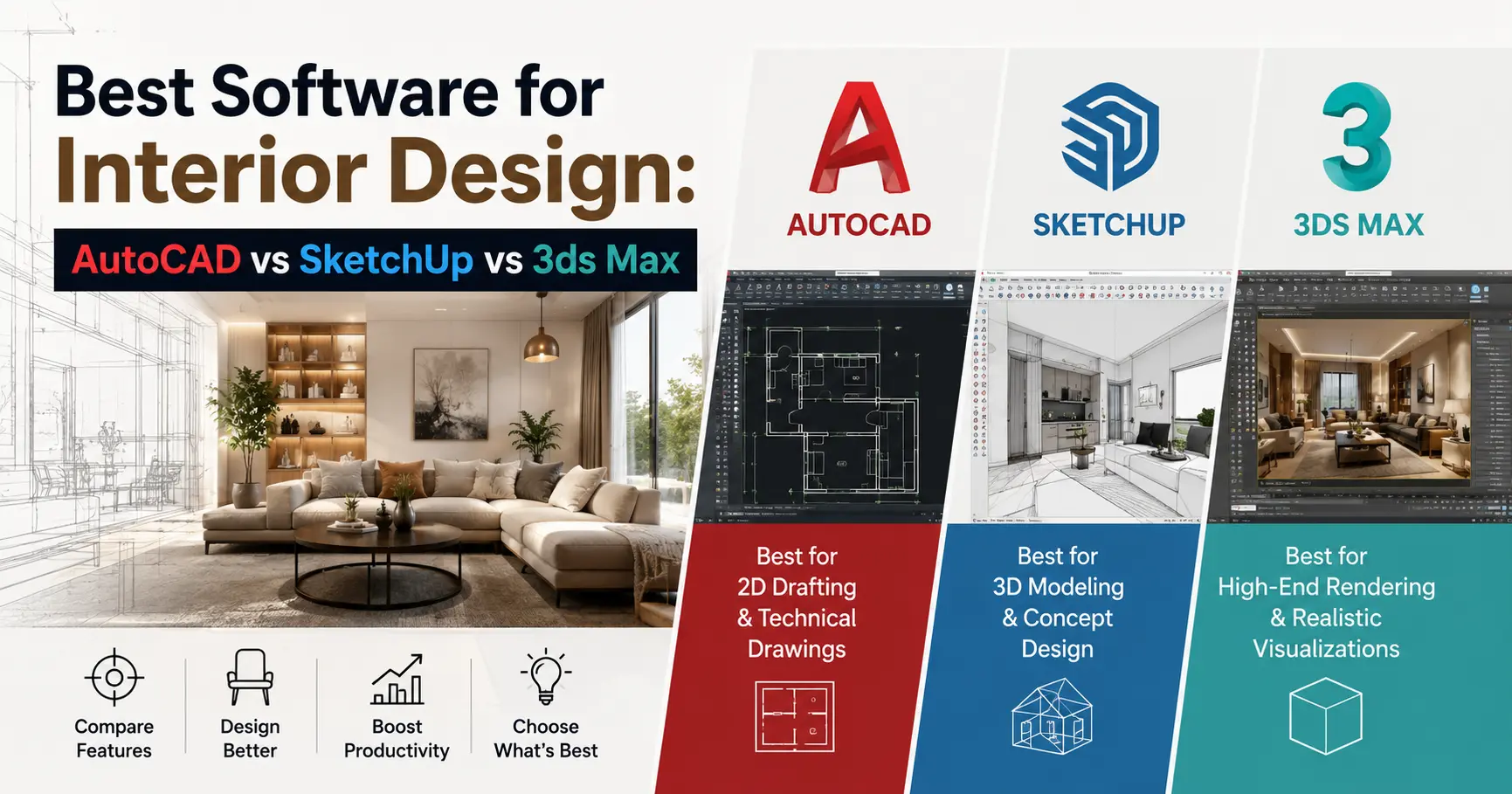
If there’s one tool every interior designer eventually touches, it’s AutoCAD. It’s built for precise 2D floor plans, elevations, and technical drawings — the kind of documentation contractors and clients actually rely on. Most firms in India still expect AutoCAD proficiency as a baseline skill, which makes it the natural starting point in most Interior Design programs.
Best for: measured drawings, working plans, layouts you’ll hand off to a contractor.
SketchUp: The Fastest Way to Visualize a Space
Where AutoCAD is precise, SketchUp is fast. It’s a 3D modeling tool built around intuitive drag-and-drop workflows, which is why most students pick it up within weeks. It’s especially useful for client presentations — you can turn a rough concept into a walkable 3D space quickly, without getting buried in technical settings.
Best for: 3D massing, quick client mockups, mood-driven concept presentations.
3ds Max: For Photorealistic Renders
Once you’re ready to impress a client with a render that looks like a photograph, 3ds Max is where most professionals land. It has a steeper learning curve than SketchUp, but the payoff is high-end lighting, materials, and rendering quality that’s hard to match elsewhere. This is typically introduced in the second or third year of a design program, once students are comfortable with the basics.
Best for: final presentation renders, portfolio pieces, high-detail visualization.
Which Should You Learn First?
There’s no single right answer, but here’s a practical order that works for most beginners:
- Start with AutoCAD — it builds your foundation in scale, measurement, and technical accuracy
- Move to SketchUp — it teaches you to think in 3D and present ideas quickly
- Add 3ds Max later — once your fundamentals are solid, this elevates your portfolio quality
Do You Need to Buy These Tools Separately?
Not necessarily. A structured interior design program typically includes hands-on training across all three tools as part of the curriculum, so you’re not left figuring out licensing or tutorials on your own. Most software providers also offer free student licenses, which is worth checking before you spend on anything.
Curious which tools you’ll actually use in a classroom setting? Explore our Interior Design programs or get in touch to see the full software curriculum.
FAQs
Is AutoCAD hard to learn for beginners?
It has a learning curve, but most students become comfortable within a few weeks of structured practice.
Can I skip AutoCAD and go straight to SketchUp?
You can, but AutoCAD builds measurement and scale fundamentals that make every other tool easier to learn.
Is 3ds Max necessary for a beginner?
Not at the start — it’s best introduced after you’re confident with basic 2D and 3D tools.
Are student licenses available for these software?
Yes, most providers offer free or discounted licenses for students enrolled in a design program.
Which software do interior design firms in Bangalore actually use?
Most firms use a mix of all three — AutoCAD for drawings, SketchUp for concepts, and 3ds Max for final renders.